Account Takeover Fraud Prevention and Detection: A Practical Playbook
How to prevent and detect account takeover fraud: the signals that flag a compromised login, why IP blocks fail, and how to avoid false positives.
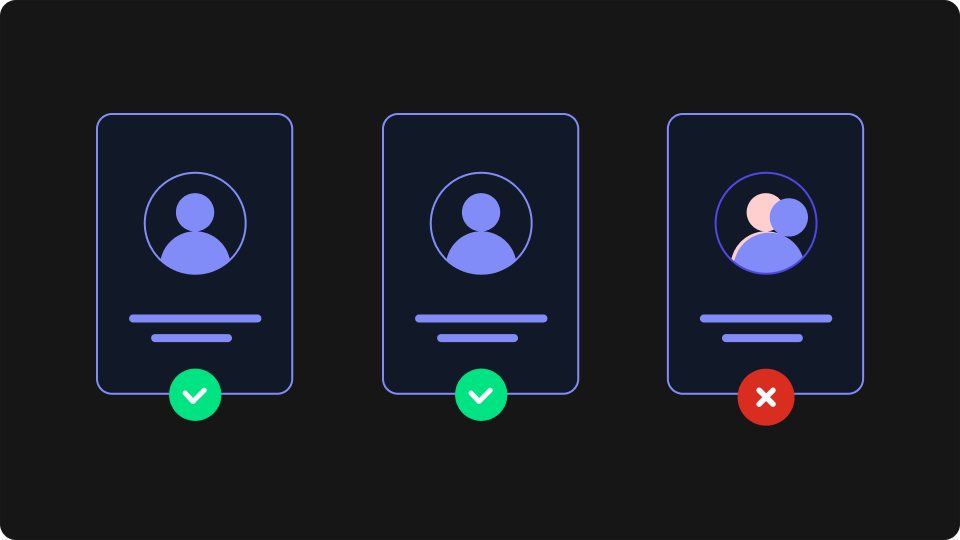
Account takeover fraud is what happens when someone other than the owner logs into a real account and uses it: drains a balance, changes the payout details, or spends a saved card. Account takeover fraud prevention and account takeover detection are usually written about as one job, but they are two. Detection asks which signals show a takeover in progress. Prevention decides what to do about it without making every legitimate customer pay for the attacker's existence. This playbook covers both, and the friction problem that sits between them.
What Account Takeover Fraud Actually Looks Like
An account takeover (ATO) is the hijacking of an existing account. That separates it from new account fraud, where the attacker creates a fake account instead. A taken-over account has history, saved payment methods and a trusted reputation, which is exactly why it is worth stealing.
Javelin's 2026 Identity Fraud Study puts US account takeover losses above $15 billion in 2025, the costliest fraud type it measures, with 6 million consumers affected, up 18% on 2024. The raw material is abundant: SpyCloud's 2026 Identity Exposure Report recaptured 5.3 billion credential pairs and 8.6 billion stolen session cookies from criminal sources in 2025.
Most takeovers arrive through one of five routes:
Credential stuffing: leaked username and password pairs replayed against your login at scale. It is the highest-volume vector, covered in our credential stuffing prevention playbook.
Phishing and social engineering: the customer hands over credentials or a one-time code, or a support agent is talked into a reset.
SIM swap: the attacker moves the victim's phone number to a new SIM and receives every SMS code and reset link.
Card cracking: automated guessing completes partial card details, and taken-over accounts with saved cards give the attacker a trusted checkout to test and spend on.
Loyalty-balance drain: points balances are rarely protected like money but are spent like it. Attackers take over dormant accounts and redeem the balance before the owner checks. Our guide to loyalty program fraud covers this in depth.
Detecting an Account Takeover: Which Signals Actually Fire
Account takeover detection works best when signals are organised by when they fire: at the login attempt, or after the attacker is inside.
Signals at the login attempt
An unrecognised browser for this account. The most useful question at login is not "is this visitor suspicious" but "has this account logged in from this browser before". Most customers use a small, stable set of browsers.
Geographic mismatch or impossible travel: a country the account has never used, or two distant locations minutes apart.
Datacenter, VPN or Tor origin. Real customers rarely log in from cloud server IP ranges. Attack tooling often does.
Velocity patterns: failed logins across many accounts from related sources, or a slow trickle designed to stay under rate limits. Automated credential testing is a bot detection problem first.
Signals after login
A stolen session cookie skips the login entirely, so watch for:
High-risk account changes: email, password, phone number, MFA enrolment, shipping address or payout details, especially several in quick succession.
A browser change mid-session, a strong sign the session token has been replayed elsewhere.
Cash-out behaviour: gift card purchases, balance transfers or a new shipping address straight after a new-browser login.
A takeover that reaches checkout becomes a payment fraud detection problem, and the cheapest place to stop it is upstream of the payment gateway. If an unauthorised purchase gets through, it usually returns as a dispute, and chargeback fraud is the cost you then manage.
Which signal classes come from where
Account takeover detection tools sell different things under the same label. The table below shows the four signal classes and which kind of tool supplies each:
Signal class | What it tells you | Typically supplied by |
|---|---|---|
Network and connection (IP, TLS, VPN/datacenter/Tor flags) | Where the request comes from, and whether it looks automated | IP enrichment, bot management, fingerprinting APIs with server-side signals |
Browser environment (canvas, fonts, screen, languages) | Whether this browser has been seen before | Browser fingerprinting services |
Behavioural (typing cadence, mouse movement) | Whether the person typing behaves like the owner | Behavioural biometrics vendors, via a dedicated SDK |
Account state (login history, recent changes) | Whether this action fits the account's history | Your own application data |
A browser fingerprinting service supplies the first two classes. It does not analyse mouse movement or typing rhythm: that is behavioural biometrics, a separate category with a heavier integration and its own privacy questions. It can earn its place on high-value banking accounts, but most teams get the bulk of their detection from browser recognition plus their own account data.
Why Rate Limits, IP Blocks and Blanket MFA Fall Short
Account takeover prevention usually starts with three defences. Each catches something, and each fails in a specific way.
Rate limiting caps failed logins per account or IP. It stops crude brute force, but modern credential stuffing runs low and slow: a few attempts per account, spread across thousands of IPs, under any threshold you could set without locking out real customers.
IP blocking fails against residential proxies, which give each login a fresh, clean home-broadband address. Blocking aggressively also hits offices, universities and mobile carriers, where many real customers share one IP. The way out is not a better global identifier for the attacker but a better question about the account. A login from a browser this account has never used is suspicious however clean its IP looks, and an attacker who rotates proxy changes everything that identifies their connection. That makes them look more unfamiliar to the account, not less.
Blanket MFA does reduce account takeover, and phishing-resistant methods such as passkeys reduce it further. But SMS codes fall to SIM swaps, push approvals to push fatigue, and real-time phishing proxies relay codes as they are typed. Requiring MFA on every login also taxes every legitimate session, which shows up as abandoned logins and support tickets.
The common gap is account-level context. None of the three knows which browsers a given account normally uses, and that is the signal separating an owner on a new IP from an attacker on a clean one.
Building the Prevention Stack
Effective account takeover prevention layers four controls, each covering what the one before it misses. They apply across retail, travel, gambling and fintech; what changes by vertical is where the cash-out happens.
Layer 1: Recognise the browsers each account normally uses
Record the browsers each account has successfully logged in from. A known browser is low risk; an unrecognised one triggers everything below. It is the cheapest high-value layer because the customer never notices it.
Layer 2: Add context signals
Combine browser recognition with velocity, geography, time of day and connection type. A new browser in the customer's usual country on a residential connection is a different event from a new browser on a datacenter IP abroad. Behavioural signals belong here if your account values justify the integration.
Layer 3: Step up only when risk is elevated
Risk-based authentication applies a challenge (email confirmation, one-time code, passkey prompt) only when signals warrant it. Known browsers pass straight through, and since most logins come from known browsers, most customers never see a challenge.
Layer 4: Monitor after login and respond fast
Hold or re-verify payout changes, email changes and large redemptions in sessions that began on a new browser. When a takeover is confirmed, the playbook is short: revoke all sessions, force a credential reset, restore changed details, and notify the owner through a channel the attacker did not touch. Tighten these controls ahead of peak sales events and points-expiry dates, because attackers time campaigns to them.
How Browser Fingerprinting Fits In
Layer 1 needs to recognise a browser without relying on a cookie. Browser fingerprinting does this by combining characteristics a browser exposes, such as graphics rendering, fonts and screen properties, into an identifier that is stable across visits. Fraud teams often call it device fingerprinting, but what device fingerprinting really means is narrower than the name. A fingerprint identifies a browser environment on a device. Within the same browser it survives cookie clearing, private windows and expired sessions; it does not follow a visitor to a different browser, a different device, or into a native app.
That scope fits account takeover exactly: the question is only whether this login comes from a browser the account already uses.
ThumbmarkJS is a browser fingerprinting service, used on more than 60,000 websites, that fits this check. Its client collects the signals that make up a browser fingerprint, and the API adds server-side signals (TLS handshake, HTTP headers, connection details) for around 99% uniqueness on every API tier, including the free one. Each response also carries bot, VPN, datacenter and Tor flags and a 0–5 danger level, covering the network signals from the detection section in the same call.
The trusted-browser pattern
On each successful login, store the browser's identifier against the account as trusted.
On each login attempt, check the incoming identifier against that account's list.
A match passes. A miss triggers step-up authentication, not a block.
Once the challenge succeeds, add the new browser to the list.
Store the Visitor ID rather than the raw fingerprint hash. Browsers update and fingerprints drift, and Visitor ID is designed to stay stable through those changes. Recognition survives cookie clearing within the same browser, although the API does use browser storage to keep Visitor ID stable, so it is not storage-free.
IP behaves in your favour here. By default the fingerprint includes connection details, so an attacker who resets their browser and switches proxy produces a new fingerprint, which fails the trusted-list match and gets challenged. IP can be excluded from the fingerprint, but that costs uniqueness and the pattern does not need it.
Choosing an Account Takeover Prevention Tool
Account takeover solutions range from signal APIs to platforms that decide for you. Four questions separate them:
Which signal classes does it supply? Map each vendor against the four classes above, and ask specifically whether "behavioural" means typing and mouse analysis or something else.
Does it decide, or does it score? A platform that returns allow or deny takes over your login flow and your false-positive rate. A signal API leaves the decision in your application: more work, more control.
What does it cost per call at your login volume? ATO checks run on every login, not once per customer, so per-call pricing compounds fast.
What happens on a false positive? Can you tune the thresholds yourself?
How much raw accuracy matters depends on what the fingerprint decides. If you hard-block logins on a fingerprint mismatch alone, with no challenge or review, the last fraction of a percent is decisive and worth paying for. Most teams instead use the fingerprint to decide who gets challenged, where a miss costs one extra verification step and price dominates. That is the shape ThumbmarkJS is priced for: it costs a fraction of what most fingerprinting vendors charge per call, which matters when the check runs on every login. Our side-by-side on accuracy and pricing shows where that trade-off lands.
Avoiding False Positives
Every ATO control trades fraud caught against legitimate customers stopped, and on a login flow the second cost is easy to underestimate. Preventing account takeover without adding friction for legitimate customers comes down to four habits.
Know what a false positive costs
A blocked or over-challenged legitimate login is not neutral. The customer abandons the session, calls support, or resets their password and trusts the account less. A login success rate that drops a few points can cost more revenue than the fraud the rule stopped. Track login success and challenge completion rates alongside fraud losses, or you only ever see one side of the trade.
Tune the challenge threshold, not the match
The browser check should answer a yes-or-no question: has this account used this browser? Do not loosen it to let near-misses through. Tune the response to a miss instead. A new browser alone, in the customer's usual country on a residential connection, might get a light email confirmation. A new browser plus a datacenter IP plus a recent reset attempt gets a stronger challenge or a hold. Proportionate responses save far more friction than fuzzy matching.
Use a drift-tolerant identifier
Exact matching on a raw fingerprint hash produces a false positive every time a browser updates. A stable visitor identifier that survives fingerprint drift keeps the trusted list accurate without maintenance, and keeps returning customers out of the challenge flow after routine updates.
Combine signals before you challenge or escalate
A single signal is a step-up candidate, never a block. Reserve hard blocks for combinations, such as a known-bad network plus an unrecognised browser plus velocity across many accounts. The same discipline shrinks manual review: if only multi-signal events reach a human, the queue stays workable. It also helps when a customer disputes their own purchase. A purchase from a browser the account has used for a year is weak evidence of takeover and strong context for a case of friendly fraud.
Putting It Into Practice
Adopting browser-based ATO detection is a small project, not a platform migration:
Who installs it: a frontend developer adds the client to the login page; a backend developer stores trusted identifiers per account and adds the check to the login handler. Roughly one developer day.
Time to first signal: immediate. Run it in observe-only mode for a week or two before turning challenges on.
What it needs: per-account storage for trusted identifiers and a chosen step-up method. Forward the values with the login request for the real-time decision, and use ThumbmarkJS webhooks for the audit trail and review queue.
The free API tier covers 1,000 calls a month, enough to test the pattern on real logins. Pro is €15 a month for 15,000 calls, then €0.001 per call.
Detection and prevention need different signals, and most login friction comes from treating them as one. The cheapest durable win is knowing which browsers each account has used before: it catches attackers on clean residential IPs and lets known customers through unchallenged. Compare plans and set up a free API key on our pricing page.
Frequently Asked Questions
How do you detect an account takeover?
Look for a login from a browser the account has never used, combined with an unusual country, a datacenter or VPN connection, or failed logins across many accounts. After login, watch for rapid changes to email, password or payout details.
What is the difference between account takeover detection and prevention?
Detection identifies that a takeover is happening, using signals at and after login. Prevention decides what to do about it: step-up authentication, holding risky changes, or blocking.
Does MFA stop account takeover?
It reduces it but does not stop it. SMS codes fall to SIM swaps, push approvals to push fatigue, and any code to real-time phishing proxies. Passkeys close most of those gaps, and applying MFA as a risk-based step-up keeps the protection without taxing every login.
Can you prevent account takeover without adding login friction?
Mostly, yes. Recognising the browsers each account normally uses lets most logins pass unchallenged and reserves step-up authentication for unrecognised browsers or risky connections.
Does browser fingerprinting still work if the attacker changes IP?
It does not need to follow the attacker. An attacker who resets their browser and switches proxy looks like a new browser, which fails the account's trusted-list check, so the login is challenged.