Building a Metered Paywall: Enforcing Free-Article Limits Fairly
Learn to build a metered paywall that survives cookie clearing. A developer guide using browser fingerprinting to close the incognito bypass gap.
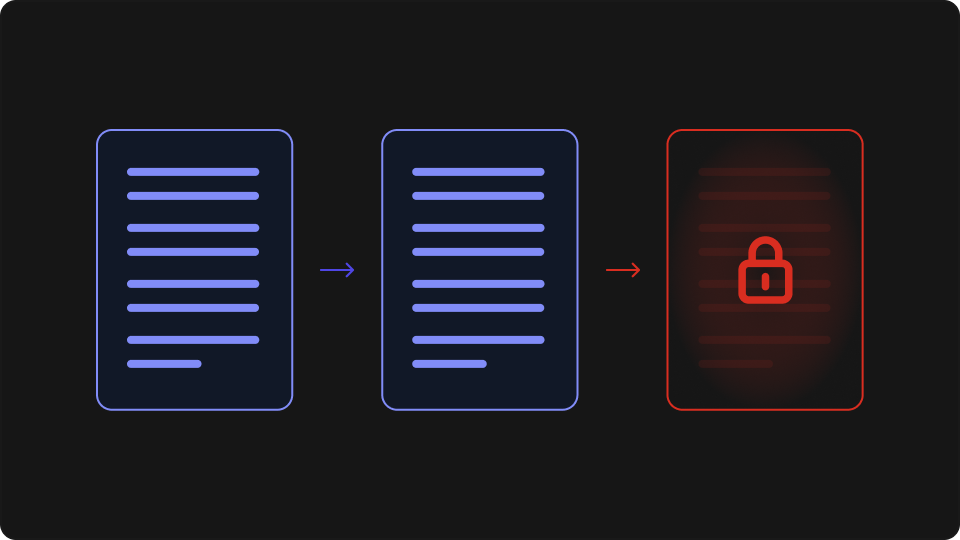
You've set a limit of five free articles per month. A reader hits article four, opens an incognito tab, and resets to zero. Or clears their cookies. Or switches from Chrome to Firefox and starts over with a clean count. A metered paywall that relies on cookies alone is trivially defeated — no browser extension required. This guide covers what a metered paywall is, why cookie-only counters fail, and how to build one that holds up using browser fingerprinting.
What is a metered paywall?
A metered paywall grants visitors a fixed number of free content views per period — typically per month — then restricts access to subscribers once the limit is reached. Unlike a hard paywall, which blocks non-subscribers from the first visit, or a soft paywall, which shows a content preview before prompting for login, a metered model keeps search and social traffic flowing while converting the readers most likely to subscribe: the ones who keep coming back.
Metered paywalls dominate news publishing because the economics make sense. Casual visitors who arrive once from a search result and never return cost almost nothing to serve and rarely subscribe anyway. Readers who hit the article limit have demonstrated enough interest to be worth converting. The New York Times built its subscription business on this model; the Financial Times and The Atlantic use their own variants of it.
The model also maps well onto content platforms beyond traditional media — any product with premium content and a meaningful anonymous audience can apply the same pattern. The implementation is straightforward: track views per visitor, gate on the limit, and prompt the user to subscribe. The problem is in the "track views per visitor" step, because visitors don't have accounts.
Why cookie-based metering fails
Without a login, cookies are the obvious way to track a visitor's article count. The browser sets a cookie on the first visit; each subsequent article load increments the counter; once the count exceeds the limit, the paywall overlay appears. Here's what a minimal version looks like:
// Cookie-only article counter — resets on cookie clear or private browsing
function checkArticleAccess() {
  const match = document.cookie.match(/article_count=(\d+)/);
  const count = parseInt(match?.[1] || '0');

  if (count >= 5) return { allowed: false };

  const ttl = 30 * 24 * 60 * 60; // 30-day window
  document.cookie = `article_count=${count + 1}; max-age=${ttl}; path=/`;
  return { allowed: true };
}
Every reader who wants to bypass this can do so in seconds, without any technical knowledge:
Cookie clearing — clearing browser history or site data resets the counter to zero
Private / incognito mode — each private window opens with a fresh cookie jar; closing it wipes the count
Multiple browsers — Chrome, Firefox, and Safari each maintain separate cookie stores, so the same reader gets five free articles in each
Shared devices — two people using the same browser profile share a counter, which means the limit hits sooner for legitimate users and resets for the one who clears cookies
None of these require effort to exploit. Incognito mode is two keystrokes. Any publisher running a cookie-only metered paywall is enforcing limits against the least motivated readers and not at all against anyone who has hit the limit once.
How browser fingerprinting closes the gap
Browser fingerprinting identifies a browser environment from its intrinsic characteristics — how it renders a canvas element, its WebGL driver output, audio context response, installed font metrics, screen resolution, and timezone. These signals are collected on each page load and hashed into a fingerprint. No state is written to the browser; the identity is derived, not stored.
A counter keyed to a browser fingerprint behaves differently from one keyed to a cookie. Clearing browser data doesn't change the underlying hardware and software environment that produces the fingerprint, so the fingerprint stays the same. Opening a private window doesn't create a new browser environment — it opens a new session in the same one. The canvas, WebGL, and audio signals that make up the fingerprint are consistent across regular and incognito modes within the same browser.
One limitation is worth being direct about: a browser fingerprint identifies the same browser on the same device. If a reader switches from Chrome to Firefox, or from their laptop to their phone, they'll start with a fresh count. Cross-device, cross-browser enforcement requires authentication — fingerprinting handles the anonymous case, and that's where most of the metering bypass problem lives.
This is the right trade-off for a metered paywall. The goal isn't to follow a reader across every device they own; it's to close the incognito-clearing bypass that trivially defeats a cookie counter. Fingerprinting does that. The same approach works regardless of what stack the publisher is running — whether the frontend is custom-built, running on a CMS, or on a platform like Squarespace, the fingerprinting call is a client-side JavaScript snippet that doesn't depend on the underlying infrastructure.
Building a metered paywall with ThumbmarkJS
ThumbmarkJS generates a stable visitorId for anonymous visitors using browser fingerprinting. Unlike the raw fingerprint hash, the visitorId is designed to survive minor fingerprint drift — browser version updates or small signal changes that would produce a slightly different hash still resolve to the same visitor ID. That stability matters for a 30-day article counter.
The visitorId requires an API key. The free tier covers 1,000 calls per month, which is enough to validate the implementation at a small publisher before any cost is involved.
Step 1: Install and initialise
npm install @thumbmarkjs/thumbmarkjsOn each article page load, generate the visitor ID and send it to your backend:
// client.js — send visitor ID to backend on each article view
import { Thumbmark } from '@thumbmarkjs/thumbmarkjs';

const tm = new Thumbmark({ api_key: 'YOUR_API_KEY' });
const result = await tm.get();

const response = await fetch('/api/article-view', {
  method: 'POST',
  headers: { 'Content-Type': 'application/json' },
  body: JSON.stringify({ visitorId: result.visitorId }),
});

const { allowed } = await response.json();
if (!allowed) showPaywallOverlay();
Step 2: Count article views on the backend
The server receives the visitorId and increments a counter in Redis. Redis's INCR is atomic and the EXPIRE call sets a 30-day TTL, so the counter resets automatically at the end of each window without a scheduled job:
// server.js (Express + ioredis)
import express from 'express';
import Redis from 'ioredis';

const app = express();
const redis = new Redis();
const FREE_ARTICLE_LIMIT = 5;
const MONTHLY_TTL_SECONDS = 30 * 24 * 60 * 60;

app.use(express.json());

app.post('/api/article-view', async (req, res) => {
  const { visitorId } = req.body;
  if (!visitorId) return res.status(400).json({ allowed: false });

  const key = `paywall:${visitorId}`;
  const count = await redis.incr(key);

  // Set TTL only on first increment — prevents resetting an existing window
  if (count === 1) await redis.expire(key, MONTHLY_TTL_SECONDS);

  res.json({ allowed: count <= FREE_ARTICLE_LIMIT });
});
Combining fingerprint with a cookie counter
For production, combining both signals is a reasonable default. If a valid cookie counter exists, use it as the fast path — it's a local read with no network call and adds no latency. Fall back to the fingerprint check only when the cookie is absent: incognito sessions, cleared data, or first visits. The vast majority of readers will hit the cookie path. Fingerprinting handles the smaller set of users who arrive without a cookie — which includes both genuine first visits and bypass attempts.
This arrangement keeps the fingerprinting call rate low while covering the bypass case that matters. It also means a user who legitimately cleared their cookies mid-month isn't automatically reset; the backend counter, keyed to their stable fingerprint, still reflects their actual view count.
Privacy and consent considerations
Metered paywalls are generally treated as a legitimate interest use case under GDPR — publishers have a genuine commercial interest in enforcing article limits, and the fingerprinting involved is proportionate to that purpose. ThumbmarkJS is EU-headquartered and designed for GDPR compliance.
That said, consent obligations vary by jurisdiction, CMS, and the specific signals collected. Developers building for EU audiences should review the consent flow and cookie policy with legal counsel before deploying — particularly around whether fingerprinting for paywall enforcement requires disclosure in a consent banner. Tracking anonymous visitors without cookies in other contexts — personalisation, attribution — carries the same questions.
The implementation doesn't resolve the legal question. That's for your legal team.
Closing
A metered paywall that counts on cookies is relying on readers not to open an incognito tab. Browser fingerprinting ties the article counter to the browser environment rather than stored state, so it survives cookie clearing and private browsing without requiring a login. The implementation pattern is compact: generate a visitorId on each article load, increment a Redis counter keyed to that ID on the backend, and gate the response on the result.
For a broader overview of how publishers use ThumbmarkJS for paywall enforcement — including combining it with bot filtering to block scrapers from consuming free article quota — see our use cases page. For the full API reference, the ThumbmarkJS docs cover the complete response shape and configuration options.