Web Scraping Prevention: Techniques That Actually Work
Robots.txt and IP blocks won't stop determined scrapers. This guide covers the layered techniques — including browser fingerprinting — that actually prevent web scraping.
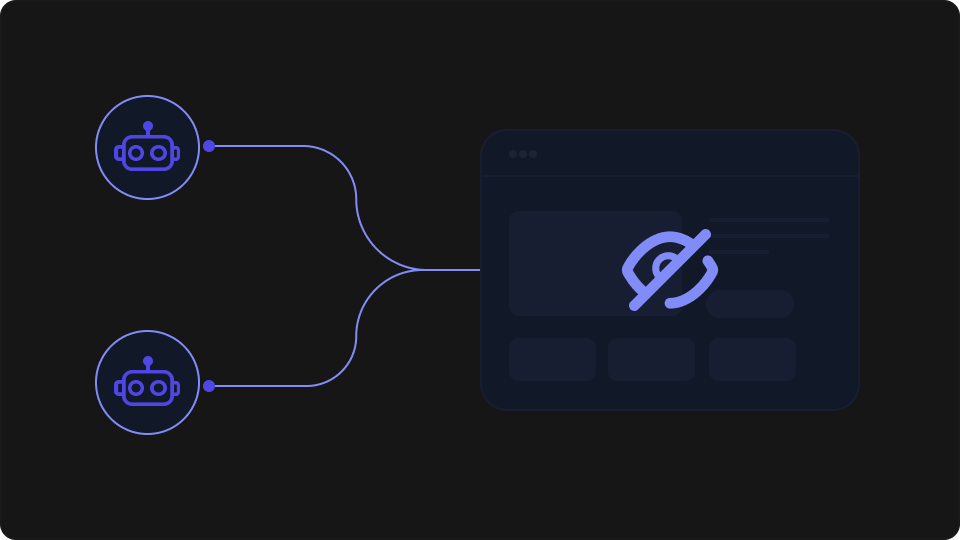
If your site has data worth having, it's probably being scraped. Most web scraping prevention advice covers the same five steps in the same order — robots.txt, rate limiting, CAPTCHAs, and then a vague gesture toward "advanced bot management." The problem is that a determined scraper bypasses most of that in an afternoon. This guide covers what actually holds up, why the standard advice falls short, and how to build a detection layer that survives proxy rotation and headless browsers.
Web scraping is closely related to the broader bot problem — if you're dealing with scrapers, you may want to also read our bot detection guide for the wider automated traffic picture.
What Scrapers Are Actually Doing (and What They Look Like)
Not all scrapers are the same, and the techniques that stop one won't stop the other.
The simpler class — HTTP scrapers — sends standard GET requests with a forged User-Agent header and collects responses at machine speed. These are trivial to write and trivial to detect: they make no attempt to simulate a browser environment, they don't execute JavaScript, and their request patterns are mechanically regular.
The harder class is headless browser scrapers built on tools like Puppeteer or Playwright. These spawn a real (or near-real) Chromium instance, execute JavaScript, handle cookies, and can simulate mouse movement and scrolling. From a basic detection standpoint, they look a lot like a real user. The differences are subtler: missing or anomalous browser fingerprint characteristics, requests originating from datacenter IP ranges, no persistent state between sessions, and TLS fingerprints that don't match the declared browser.
Both types share a common characteristic: they repeat the same request patterns across sessions without the variation that comes from human behaviour — different scroll depths, reading pauses, navigation paths, and so on. Understanding which type you're facing determines which defences are worth your time.
Why the Standard Defences Fall Short
These are worth understanding clearly, because they're worth implementing — just not as a complete solution.
robots.txt is a social contract. Reputable crawlers (Googlebot, Bing, academic crawlers) respect it. Anyone writing a custom scraper does not. Implementing it takes five minutes and costs nothing, but it won't stop anyone who's actively trying to take your data.
User-agent blocking is spoofed in one line of code. Every scraper worth the name sends Mozilla/5.0 (or whatever the current Chrome UA string is). Blocking non-browser user agents will stop lazy scrapers; it will not stop anyone who has read a tutorial.
IP blocking is the most effective of the basic defences, but it degrades quickly at scale. A scraper distributed across residential proxies or a rotating datacenter pool presents a different IP address on every request — or every few requests. You can maintain IP blocklists, but you're in a reactive posture, and the pool of available proxy IPs is large enough that you'll never drain it.
Basic rate limiting forces scrapers to slow down and is absolutely worth implementing. But it doesn't stop distributed scraping — an operator with 200 IPs can hit your site at 1 request per IP per second and still extract your full dataset in hours. Rate limiting also creates false positives: aggressive limits affect power users, API integrators, and mobile users on slow connections.
The common failure mode across all of these is that they target a single attribute — user-agent string, IP address, or request frequency — that a scraper can change without losing access to your content.
Techniques That Add Real Friction
The next tier of defences doesn't stop scrapers outright, but it significantly raises the cost of a successful extraction.
CAPTCHAs and JavaScript challenges are effective against unsophisticated scrapers that can't execute JS or solve visual puzzles. They fail against headless browsers (which can render and interact with JS challenges) and CAPTCHA-solving services (which pay humans or use ML to solve them at ~$1–3 per thousand). Worth implementing at sensitive endpoints — account creation, login, bulk export — but not a wall.
Honeypot links are invisible to human users (hidden via CSS) but followed by naive scrapers that parse all anchor tags. When a request comes from a visitor that has "clicked" a honeypot link, you know it's automated. This works well as a detection signal; it does nothing against scrapers that selectively follow links or parse only specific elements.
Dynamic content via JavaScript rendering filters out HTTP-only scrapers entirely. If your data isn't in the initial HTML response — it's rendered client-side after a JS call — then simple scrapers get nothing. Headless browsers handle this without effort, so it's a partial filter rather than a complete defence.
API authentication with token rotation is effective for API endpoints specifically. If data access requires a valid, per-session token that expires quickly, scrapers need to maintain an authenticated session rather than just replaying requests. Combined with per-account rate limits, this meaningfully raises the operational cost. The failure mode is credential theft — if your tokens are exposed client-side or your login flow is automatable, the scraper just logs in.
These techniques are worthwhile in combination. None of them address the core problem: they all rely on attributes that can be rotated or reset.
Browser Fingerprinting as a Scraper Detection Signal
The techniques above fail because they let scrapers present a fresh identity on each session. Browser fingerprinting solves this at the browser level.
A browser fingerprint is a composite of hardware and software characteristics collected from the browser environment: canvas rendering output, WebGL GPU information, audio context fingerprint, installed fonts, screen geometry, timezone, language settings, and browser permissions. When combined with a server-side component, TLS handshake signature and HTTP header patterns are added to the mix. Together, these form an identifier that's specific to a browser and its environment.
Unlike an IP address or a cookie, this identifier doesn't reset when a user clears their browser data, switches networks, or opens a private tab. For a scraper, this matters in three ways:
Headless browsers have characteristic fingerprints. A default Puppeteer or Playwright instance produces a fingerprint that differs from a real Chrome install — missing or unusual font rendering, anomalous WebGL output, no audio context, missing browser permissions. These signals are individually defeatable, but defeating all of them requires significant configuration effort, and misconfiguration leaves other tells.
Browser fingerprints persist across IP changes. The browser-level signals that make up a fingerprint — canvas rendering, WebGL output, audio context, installed fonts — don't change when a scraper rotates to a new proxy. The Pro API version does, by default, use part of the IP address as a fingerprint input, which means a scraper cycling through a large proxy pool could produce a changing fingerprint. For scraper detection specifically, pass stabilize: ['vpn', 'private'] when instantiating ThumbmarkJS; this strips the IP-based entropy components, optimising the fingerprint for stability across network and session changes. It's a trade-off between uniqueness and stability — but for this use case, identifying bad actors rather than uniquely identifying individual visitors, the stability is what matters.
Known-bad fingerprints can be stored and matched. When you confirm a browser is a scraper — through behaviour, through honeypot activation, or through an API signal — you can record that fingerprint and automatically flag future requests from the same browser, even across sessions.
ThumbmarkJS collects these signals client-side and, when used with an API key, adds server-side intelligence: datacenter IP detection and a composite threat level score. The bot detection signal is based on network-level characteristics rather than behavioural tracking, which keeps the implementation straightforward and the privacy surface limited.
Implementing Fingerprint-Based Scraper Detection
The pattern is: instantiate ThumbmarkJS with your API key, collect the fingerprint and bot signals client-side, pass the relevant fields to your server with each request, and apply enforcement logic there.
Step 1: Install and collect the fingerprint
npm install @thumbmarkjs/thumbmarkjsInstantiate the Thumbmark class with your API key and call .get(). The API key enables the server-side signal enrichment — bot detection, datacenter detection, threat level, and visitor ID — that the open-source library alone doesn't produce. Pass stabilize: ['vpn', 'private'] to strip IP-based entropy from the fingerprint, keeping it stable across proxy rotation and private browsing sessions.
// Collect fingerprint and bot signals on page load
import { Thumbmark } from '@thumbmarkjs/thumbmarkjs';

const tm = new Thumbmark({ api_key: 'YOUR_API_KEY', stabilize: ['vpn', 'private'] });
const result = await tm.get();

// result includes: visitorId, bot classification, danger level, etc.
window.__tmSignals = {
  visitorId: result.visitorId,
  bot: result.info.classification.bot,
  threatLevel: result.info.classification.danger_level
};
Get your API key from thumbmarkjs.com/console. The free tier covers 1,000 API calls per month.
Step 2: Pass the signals to your server
Include the bot signals in a custom header on requests to your backend:
// Attach signals to outbound requests
fetch('/api/data', {
  headers: {
    'X-TM-Visitor': window.__tmSignals.visitorId,
    'X-TM-Bot':     String(window.__tmSignals.bot),
    'X-TM-Threat':  String(window.__tmSignals.threatLevel)
  }
});
Step 3: Enforce server-side
Read the signals in your middleware and apply your enforcement logic:
// Express middleware: enforce based on client-side bot signals
function botDetection(req, res, next) {
  const bot         = req.headers['x-tm-bot'] === 'true';
  const threatLevel = parseInt(req.headers['x-tm-threat'] || '0', 10);

  if (bot || threatLevel >= 3) {
    return res.status(429).json({ error: 'Too many requests' });
  }

  next();
}

module.exports = botDetection;
A couple of notes on this approach:
On enforcement thresholds: danger_level >= 3 is a reasonable starting threshold. Levels 1–2 are worth logging and reviewing before enabling automatic blocking, particularly for the first week of operation.
On client-sourced signals: Since the bot and threat fields come from the client, a sophisticated operator could attempt to spoof the headers. For high-stakes enforcement, complement this with server-side rate limiting keyed on the visitorId — a browser that sends the same visitor ID across many requests in a short window is behaving like a bot regardless of what it claims in the bot field. Alternatively, ThumbmarkJS supports webhooks: you can configure the API to POST results directly to your server and match them to client requests using the request ID, which eliminates the client-spoofing risk entirely.
What to Do When You Detect a Scraper
Detection and enforcement are separate decisions. Once you have a reliable signal, you have several options with different trade-offs.
Hard block (403 or 429) tells the scraper it's been detected. Unsophisticated operators will give up; sophisticated ones will adapt their fingerprint configuration. Use this for confirmed, high-confidence bot traffic where the cost of false positives is low (e.g. a scraper that's already hit your honeypot).
Silent rate limiting imposes a severe slowdown — respond, but delay responses by 10–30 seconds — without signalling that detection has occurred. The scraper doesn't know it's being throttled; it just slows down. Effective against operators who are time-sensitive and won't investigate why extraction is slow.
Serve degraded content — return fewer results, lower-resolution data, or stale responses — to flagged requests. This is the most operationally complex option but has a useful property: a scraper that receives apparently complete data has no reason to adapt its approach. By the time the operator realises the data is degraded, they've wasted significant collection time.
Log and monitor first is the recommended starting point if you're instrumenting this for the first time. Before enforcing anything, run your detection logic in a shadow mode — flag requests internally, count them, review a sample — for at least a week. This tells you your false-positive rate and gives you a baseline before you start affecting live traffic.
Putting It Together
No single technique stops a determined scraper. The realistic posture is a layered stack where each layer filters out a class of attacker:
robots.txt + user-agent filtering — stops compliant crawlers and lazy scripts
Rate limiting — raises the cost of high-volume extraction
CAPTCHAs at sensitive endpoints — filters unsophisticated headless bots
Honeypot links — provides a detection signal for naive scrapers
Browser fingerprinting — the layer that holds up when everything else is bypassed, because it operates at browser level rather than network level
The fingerprinting layer is the one most sites are missing. It doesn't require a managed WAF service or significant infrastructure — a client-side library, an API key, and a middleware that reads the result. The ThumbmarkJS open-source library is available on GitHub (MIT licensed, free to use commercially). The API adds the bot detection signal and server-side intelligence that makes the fingerprint actionable against scraper bots specifically. The ThumbmarkJS use cases overview covers the full range of applications the API supports.
Start with the monitoring approach above — shadow mode for a week, review the signals, then enable enforcement once you're confident in your thresholds.