Anonymous Website Visitor Identification: What You Can Actually Know
Anonymous website visitor identification means two different things: knowing who a visitor is, or recognizing them when they return. Know which you need.
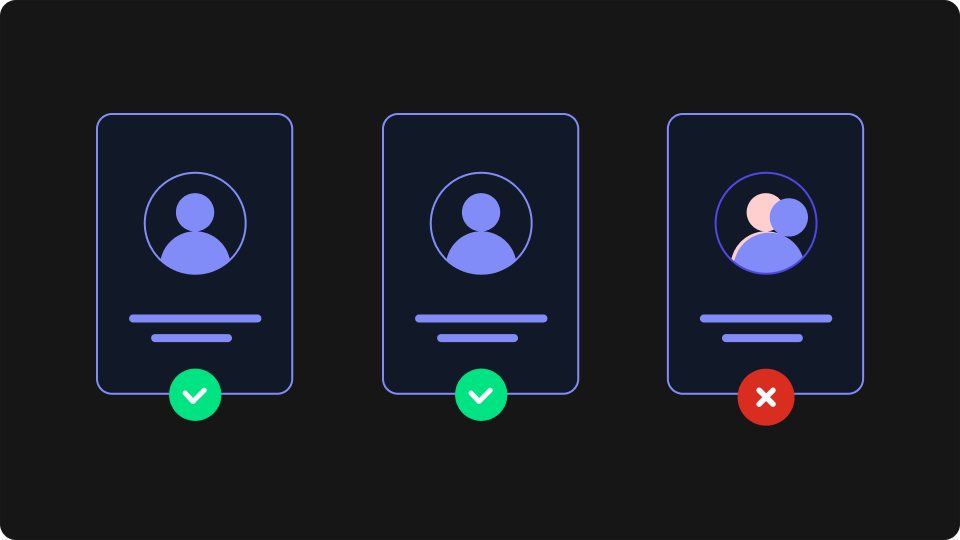
"Anonymous website visitor identification" sounds like one capability. It's two. One kind of product tries to attach a name (a company, a person, an email address) to the visitor. The other recognizes that a visitor has been here before without ever learning who they are. They carry different privacy exposure, different failure modes, and different price tags, and the phrase covers both without distinguishing them. Most of your traffic never logs in, so the difference is worth getting right before you buy anything. This article separates the two and helps you work out which one your use case needs.
What Is Anonymous Visitor Identification?
Anonymous visitor identification is the practice of learning something durable about a website visitor who has not logged in or filled in a form. It splits into two capabilities: identity resolution, which tries to attach a company or a person to the visit, and recognition, which tells you a visitor has returned without ever naming them.
That split is the definition, not a footnote to it. The two capabilities are built differently, fail differently, and put very different amounts of personal data into your systems. A team that needs one and buys the other ends up with a tool that technically works and answers a question nobody asked.
The vocabulary doesn't help. Anonymous visitor identification, anonymous website visitor tracking, and anonymous visitor tracking are all used across the market to mean either branch, sometimes in the same paragraph. The rest of this article uses "identity resolution" for the first and "recognition" for the second.
Branch One: Identity Resolution (Putting a Name to the Visitor)
Identity resolution tries to answer "who is this?" It works by matching something observable about the visit against an external database. Two mechanisms dominate. The first looks up the visitor's IP address in a registry that maps address ranges to organisations, returning a company name. The second matches signals from the visit against a third-party identity graph, a commercially assembled dataset linking identifiers to individuals, to return a person and often an email address.
This is the branch most of the market means by website visitor identification, and it is built for a specific buyer: a B2B team that wants to identify website visitors from target accounts and route them to sales before they fill in a form. If that describes your situation, this branch is the right one, and it does something recognition cannot do.
It also has structural limits that rarely appear in product marketing:
Residential and mobile addresses don't resolve. An IP lookup can only return an organisation when the address belongs to one. Home broadband and mobile carrier addresses map to the internet provider, not to an employer.
Remote and hybrid work breaks the assumption. The mechanism was designed for an office with a corporate network. A visitor working from home is either unresolvable or resolved to the wrong entity.
Consumer traffic is largely out of reach. If your visitors are individuals rather than employees, there is no company to name. Identity-graph matching may still return a person, which raises the privacy stakes considerably.
Coverage is partial by construction. Every method here is a match against a dataset that does not contain everyone. A meaningful share of visits will resolve to nothing at all, and some will resolve to something wrong, which is harder to detect than a blank.
None of this makes the category useless. It makes it a fit for a narrower set of sites than the marketing implies, and it means the question worth insisting on in an evaluation is what proportion of your traffic would resolve.
This branch also processes personal data. A company name attached to a visit is business information in most readings, but a person and an email address is personal data by any reading, and the identity graph it came from was assembled somewhere. That carries consent and lawful-basis consequences you need to check for your jurisdiction and use case.
Branch Two: Recognition (Knowing It's the Same Visitor, Not Who They Are)
Recognition answers a different question: "have I seen this visitor before?" It never attempts to answer "who is this?", and that is the point rather than a limitation.
The usual first answer is a cookie. You set an identifier on the first visit and read it back on the next one, which is genuine recognition and works well for as long as the cookie survives. The problem is how often it doesn't. Visitors clear their browsing data. Private windows discard it on close. Browsers increasingly cap how long a cookie set by JavaScript can live, and a declined consent banner means the identifier is never set at all. Third-party cookies are being withdrawn outright, which is the constraint behind personalizing without third-party cookies.
The failure is quiet, which is what makes it expensive. A returning visitor whose cookie is gone looks exactly like a new one, so nothing in your analytics tells you it happened. The recognition you thought you had is absent for some share of your traffic, and you have no measurement of how large that share is.
A browser fingerprint inverts the approach. Rather than assigning an identifier to the browser and hoping it persists, it derives one from what the browser already looks like. On page load the browser exposes many small configuration details: rendering behaviour, available fonts, screen characteristics, language and timezone settings. Combined, they form a signature distinctive enough to tell one browser environment from another and stable enough to match again on the next visit, which is then hashed into an identifier. Our explainer on browser fingerprinting covers the mechanism in full.
That difference in construction is the whole practical benefit. A cookie is something stored on the device, so anything that clears storage clears it. A fingerprint is computed fresh on each visit, so clearing browsing data does not erase it. Recognition built this way holds up through cleared cookies, private windows, and expired sessions, exactly the cases where cookie-based recognition silently resets.
What comes back is an opaque string. There is no name behind it, no email address, no company, and no lookup you can perform to obtain one. The visitor stays anonymous; what you gain is continuity.
The scope of that continuity matters, and it is where the category tends to overclaim. Recognition works for the same browser on the same device. It does not follow someone from Chrome to Firefox on the same laptop, from laptop to phone, or into a native mobile app. Each of those is a different browser environment, and without a login there is nothing to match them on. Any vendor promising cross-device continuity without authentication is describing identity resolution, not recognition.
Which One Does Your Use Case Need?
The decision is usually settled by one question: does someone need to act on the identity, or does the experience only need to continue? If a human being is going to send an email off the back of it, you need a name. If the site needs to behave as though it remembers, you don't.
The table below maps common goals to the branch that actually serves them.
What you're trying to do | Branch you need | Why |
|---|---|---|
Route a visiting account to a salesperson | Identity resolution | Someone has to know which company to contact |
Personalize by industry or company size before a visitor identifies themselves | Identity resolution | Segmentation requires an external attribute the visit doesn't carry |
Recognition | You need continuity, not a name | |
Recognition | The count has to survive a cleared cookie; who the reader is doesn't matter | |
Apply website personalization to a logged-out visitor: preferences, language, dismissed banners, or content relevant to their last session | Recognition | Continuity again; an identity would add nothing |
Measure how many visitors genuinely return | Recognition | Identity resolution can't see the visitors it fails to match |
Build a target-account alert for your sales team | Identity resolution | The alert is meaningless without the account name |
Two things fall out of this table. Most consumer, media, and e-commerce use cases sit in the recognition column, while most of the market's content is written about the other one. And a B2B site with both needs, sales alerts and a continuous logged-out experience, is looking at two tools, because neither branch does the other's job.
What Recognition Looks Like in Practice
Recognition is the lighter of the two to implement, because there's no external data source in the loop. A script runs on page load, computes an identifier from the browser environment, and hands it to your application, which stores whatever it needs to remember against it.
ThumbmarkJS is the recognition layer we build. It exists as an open-source library that runs entirely in the browser and produces roughly 80% uniqueness across a million visitors, and as an API that adds server-side signals and raises that to around 99%. It runs on more than 60,000 websites.
What you get back makes the "anonymous" part concrete. The identifier is an opaque string with nothing personal beside it:
// The stable part of a recognition result: an identifier, and nothing that names anyone
{
  visitorId: "8f4c2ae91b7d0e35a6c8...",
  // no name, no email, no company. There is nothing here to look anyone up with.
}
Everything meaningful is what you attach to that identifier: a cart, an article count, a language preference. The identifier is a key, and the data behind it is data you already hold about a session rather than personal data imported from outside.
The practical first step is measurement, not a personalization programme. Store the identifier, count how many visitors you see more than once, and compare that with what your cookie-based analytics reports. The gap between those two numbers is the size of the problem recognition solves on your site.
The Privacy Trade-Off
The two branches sit in genuinely different places on data protection, and it's worth being precise about the difference rather than treating either as the "safe" option.
Identity resolution imports personal data you did not previously hold. A person and an email address arriving from a third-party identity graph means you are processing personal data from a source your visitor has no relationship with, and you need a lawful basis for it. Company-level resolution is a lighter question, but still one for whoever owns privacy at your organisation.
Recognition does not attach an identity to the visit. That is a materially different processing question: there is no name to breach, no external dataset in the chain, and nothing to enrich. It is not an exemption from consent requirements. Reading information from a visitor's device generally requires consent under ePrivacy rules regardless of whether the result identifies anyone, and a stable identifier tied to a browser can be personal data under GDPR depending on how it is used. The honest summary is that recognition narrows your exposure considerably and does not eliminate the obligation.
Treat "privacy-safe" as a claim to interrogate rather than a badge. Ask any vendor in either branch where the data comes from, what is stored, and on what lawful basis, and get your own answer for your jurisdiction rather than the one in the sales deck.
The Short Version
Anonymous website visitor identification describes two products. Identity resolution puts a name to the visit, serves B2B sales, resolves a minority of traffic, and brings personal data into your systems. Recognition tells you the same visitor is back, serves continuity and experience, works within a single browser, and keeps the visitor anonymous. Which one you need follows from whether a person is going to act on the identity or your site only needs to remember.
If it's recognition, adoption is small. A developer adds the library to your front end, which is typically an afternoon's work; you store the identifier alongside whatever session data you already keep; and the first signal, your real returning-visitor rate, is available within a few days of traffic. There's no data-source procurement and no enrichment contract in the way.
You can see a visitor ID generated live in your own browser, which makes the point about anonymity better than another paragraph can. The string it produces is genuinely all there is. When you're ready to try it on your own traffic, the free API tier covers a proof of concept.
Frequently Asked Questions
Can I find out who is visiting my website?
Partly, and less often than the category implies. Identity-resolution tools return a company name for some visits, and sometimes a person, by matching against external data. They resolve a minority of traffic, work best for office-based B2B visitors, and return little for consumer audiences. Otherwise, what you can know is that a visitor has returned, not who they are.
Can you see exactly who visits your website?
No. No tool gives you a reliable, complete, named list of your visitors. The methods that come closest match against third-party datasets that don't contain everyone, and they carry the privacy obligations that come with processing personal data. Anything promising a complete picture is describing a best case as though it were the norm.
What is an anonymous visit?
A visit where nothing ties the session to a known person: no login, no form submission, no click-through from an identified email. On most sites this is the large majority of traffic, including much of what eventually converts.
How do you identify anonymous website visitors without forms?
Either by matching the visit to external data to infer a company or person, or by recognizing the browser itself so you know it's a returning visitor. The first gives you an identity you can act on and resolves only part of your traffic. The second gives you continuity across visits and never produces a name.
Does identifying anonymous visitors require consent?
It depends on the method, the jurisdiction, and the use case, and it's a question for your own privacy counsel rather than a vendor. As a general shape: reading information from a visitor's device typically triggers ePrivacy consent requirements, and importing personal data about a visitor from a third-party source requires a lawful basis under GDPR. Recognition avoids the second of those; it does not remove the first.