How to Prevent Credential Stuffing: A Developer's Playbook
Credential stuffing attacks exploit leaked passwords at scale. Learn how to layer bot detection, device fingerprinting, and rate limiting to stop them.
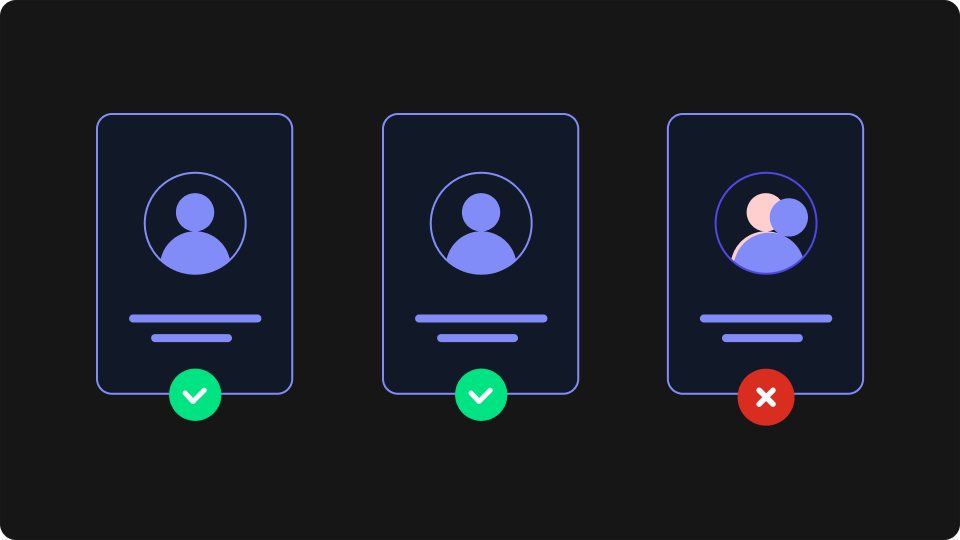
Credential stuffing works because most people reuse passwords. An attacker buys a database of leaked credentials from a previous breach — billions of these are available — and runs automated tooling to test username/password pairs against your login endpoint at scale. The match rate is low, maybe 0.1–2%, but against millions of attempts that's a meaningful number of compromised accounts.
Knowing how to prevent credential stuffing means understanding why the obvious defences don't hold up on their own, and layering controls that attackers can't cheaply circumvent. This playbook covers both.
How Credential Stuffing Attacks Work
Credential stuffing is not brute force. A brute-force attack guesses passwords. A credential stuffing attack uses real credentials that worked somewhere else. The attacker isn't trying to crack your password hashing — they already have the plaintext pairs from another site's breach.
Off-the-shelf toolkits like Sentry MBA and Snipr make this accessible: an attacker loads a credential list, configures a target URL, and starts testing. These tools handle retries, rotate through proxy pools, and parse login responses to separate successful logins from failures. The barrier to running a credential stuffing campaign is low.
What distinguishes a sophisticated attack from an unsophisticated one is how effectively it evades detection. Novice attackers hammer a single IP against your endpoint and get rate-limited within minutes. More experienced attackers distribute requests across thousands of residential IP addresses, throttle request rates to stay below alert thresholds, and randomise User-Agent headers. Against these attacks, the simple controls stop working.
Why Traditional Defences Fall Short
IP-based rate limiting is the first thing most teams reach for — and it's meaningful, but not sufficient. Residential proxy networks route traffic through real consumer IP addresses, so per-IP request volume looks normal even during a large-scale attack. An attacker distributing 1,000 requests across 1,000 IPs sends one request per IP. Your rate limiter doesn't fire.
CAPTCHAs add friction, but the third-party CAPTCHA-solving market has undermined them significantly. Mechanical Turk-style services solve visual CAPTCHAs for fractions of a cent; ML-based solvers handle many challenge types automatically. CAPTCHA is still worth deploying in high-risk flows, but it won't stop a motivated attacker.
Generic error handling is a subtler problem. If your login endpoint returns different errors for "incorrect password" vs. "username not found", attackers can run an enumeration pass first to validate which usernames exist — dramatically improving the efficiency of the subsequent stuffing attack. Use a generic error message for all failed login attempts.
None of these controls is useless. The point is that no single control is sufficient, and each one can be defeated when used in isolation.
A Layered Mitigation Strategy
Effective credential stuffing prevention requires stacking independent controls so that defeating any one layer doesn't break the whole defence. Here's how to think about each layer:
1. Multi-factor authentication (MFA)
MFA is the most effective single control — an attacker with a valid credential still can't complete login without the second factor. Where you can implement it, do. Modern passkeys and TOTP apps are low enough friction that MFA is now realistic for most applications, not just enterprise ones.
Risk-adaptive MFA is a reasonable middle ground for applications where mandatory MFA isn't feasible. Require the second factor only when the login shows risk signals: new browser fingerprint, unusual geography, IP classified as a datacenter or VPN, or a mismatch between the stated browser and the actual connection characteristics.
2. Bot detection at the login endpoint
Before you check credentials, check whether the request looks human. Network-level signals — TLS fingerprint, datacenter IP ranges, known Tor exit nodes, HTTP header anomalies — are harder to spoof than application-level signals. A request arriving from a datacenter IP with a Python TLS handshake and a Chrome User-Agent header is not a human. See our bot detection guide for a deeper look at how these signals work in practice.
Flagging bots before authentication means you're not handing attackers free credential-validation signals. A bot that gets blocked pre-auth can't tell whether the credentials it tried were valid.
3. Per-account trusted browser fingerprint lists
This is where most implementations leave a gap. Browser fingerprinting identifies a visitor's browser environment from signals like canvas rendering, WebGL, installed fonts, and screen properties — without requiring a cookie or login. At first successful login, store a browser fingerprint for that account. On subsequent logins, compare the fingerprint to the account's trusted list. A login from an unfamiliar browser fingerprint — especially combined with unusual geography or timing — triggers a step-up challenge or notifies the user.
This layer catches credential stuffing attacks that have already bypassed bot detection (e.g. through a headless browser). Even if the attacker has valid credentials, their browser fingerprint hasn't been seen on this account before.
4. Account-level rate limiting
Rate limiting at the IP level is easy to evade. Rate limiting at the account level isn't. Count failed attempts per username across all source IPs and lock or challenge the account after a threshold is crossed — regardless of where the requests came from. An attacker distributing attempts across 10,000 IPs still generates 10,000 failures against the same username.
5. Leaked credential checks
On login, check the submitted password against known breach databases. The HaveIBeenPwned Pwned Passwords API supports k-anonymity lookups — you send the first 5 characters of the SHA-1 hash, not the plaintext password, and get back a list of matching hashes. If the submitted password is in a known breach, force a reset before completing authentication.
This reduces the attack surface because it clears the very credentials that stuffing attacks depend on.
6. Login anomaly detection and user notification
Log browser fingerprint, IP classification, and geography on every successful login. When a login succeeds from a browser fingerprint that's new to that account, notify the user — not on every failed attempt (that volume would be noise), but on successful logins from previously unseen browser profiles. Give users visibility into recent login history so they can spot access they don't recognise.
Implementing Browser Fingerprint Detection
The layers above that require real implementation work are bot detection and browser fingerprint-based trusted lists. Here's how to add both to a login flow using ThumbmarkJS.
ThumbmarkJS's API returns a Visitor ID (a stable cross-session identifier tied to the browser environment), along with classification signals — bot flag, danger level score, VPN and datacenter detection — derived from both client-side browser fingerprinting signals and server-side TLS and connection analysis. The client-side library is MIT-licensed — meaning you can use it commercially without restrictions — and open source.
Step 1: capture the fingerprint on the login page
Install via npm:
npm install @thumbmarkjs/thumbmarkjsThen capture the fingerprint when the login form loads, before the user submits:
// Capture browser fingerprint and classification signals on page load
import { Thumbmark } from '@thumbmarkjs/thumbmarkjs';

const tm = new Thumbmark({ api_key: 'YOUR_API_KEY' });
const result = await tm.get();

const fingerprintSignals = {
  visitorId: result.visitorId,                           // stable browser identifier
  isBot: result.info?.classification?.bot ?? false,
  dangerLevel: result.info?.classification?.danger_level ?? 0,
  isVpn: result.info?.classification?.vpn ?? false,
  isDatacenter: result.info?.classification?.datacenter ?? false,
};
Step 2: forward signals with the login request
Pass the fingerprint signals alongside the credentials. Header forwarding works for real-time enforcement; a sophisticated attacker could theoretically spoof these headers, but it raises the cost of the attack considerably. For higher-assurance scenarios, configure ThumbmarkJS webhooks to send the payload directly to your backend — the data arrives independently of the client request and can't be tampered with.
// Include fingerprint signals in the login request body
const response = await fetch('/api/login', {
  method: 'POST',
  headers: { 'Content-Type': 'application/json' },
  body: JSON.stringify({
    username,
    password,
    ...fingerprintSignals,
  }),
});
Step 3: enforce on the backend
On the server, apply the controls in order — block or challenge bots first, then check the browser fingerprint against the account's trusted list:
def handle_login(payload):
    # Block or challenge high-risk traffic before credential verification
    if payload['is_bot'] or payload['danger_level'] >= 3:
        return challenge_response(reason="suspicious_traffic")

    # Verify credentials
    account = authenticate(payload['username'], payload['password'])
    if not account:
        record_failed_attempt(payload['username'])  # account-level rate limiting
        return error_response("Invalid credentials")

    # Check browser fingerprint against account's trusted list
    if not is_trusted_fingerprint(account.id, payload['visitor_id']):
        notify_user_new_browser(account)
        return step_up_challenge(account, reason="new_browser_fingerprint")

    # Success — add fingerprint to trusted list if not already present
    register_trusted_fingerprint(account.id, payload['visitor_id'])
    return login_success(account)
One important note on how the fingerprint behaves: by default, the ThumbmarkJS fingerprint incorporates the client's IP address. A matched Visitor ID indicates the same browser environment and the same IP. An attacker who resets their browser profile and switches to a new proxy will generate a new fingerprint and fail the trusted browser fingerprint check — which is exactly what you want. If your use case requires matching across IP changes (e.g. mobile users on cellular networks), IP can be excluded from the fingerprint at the cost of some uniqueness.
What to Do When an Attack Is Already in Progress
If you're mid-attack and don't have the above controls in place, the immediate options are:
Enable CAPTCHA on the login endpoint. Not a long-term defence, but buys time by forcing attackers to route through CAPTCHA-solving services, which slows attack velocity and increases their cost.
Tighten account-level lockout thresholds. Accept the increased support burden temporarily in exchange for limiting the attack's success rate.
Pull bot traffic reports from your detection layer and blocklist known-bad ASNs and datacenter IP ranges for the duration of the attack.
Force password resets for accounts that had a successful login from a bot-flagged browser fingerprint. If your logs show a successful authentication followed by classification signals that look automated, those accounts should be treated as compromised.
The goal after an attack is to have the detection and enforcement controls in place so the next one is stopped earlier and with less manual intervention.
What to Put in Place
Credential stuffing is a solved problem for teams willing to layer their defences. The fundamentals — account-level rate limiting, leaked credential checks, and a generic login error message — can be implemented in a day and remove a large portion of the attack surface. Bot detection and browser fingerprint-based trusted lists take longer to build but close the gaps that IP-based controls can't.
ThumbmarkJS's API provides the bot classification and Visitor ID signals needed for both layers across a range of use cases. There's a free tier with 1,000 API calls per month — enough to test the integration against your login flow before deciding on a plan. See the docs to get started or review the pricing.
For the business case to bring this to your security or product team, see our article on account takeover fraud prevention — it covers the same threat from the operational and cost perspective rather than the implementation side.