Attribution Tracking: The Join Key Behind Every Model
Attribution tracking fails below the model layer, at the identity layer. How a visitor journey joins across domains, where it breaks, and what consent it needs.
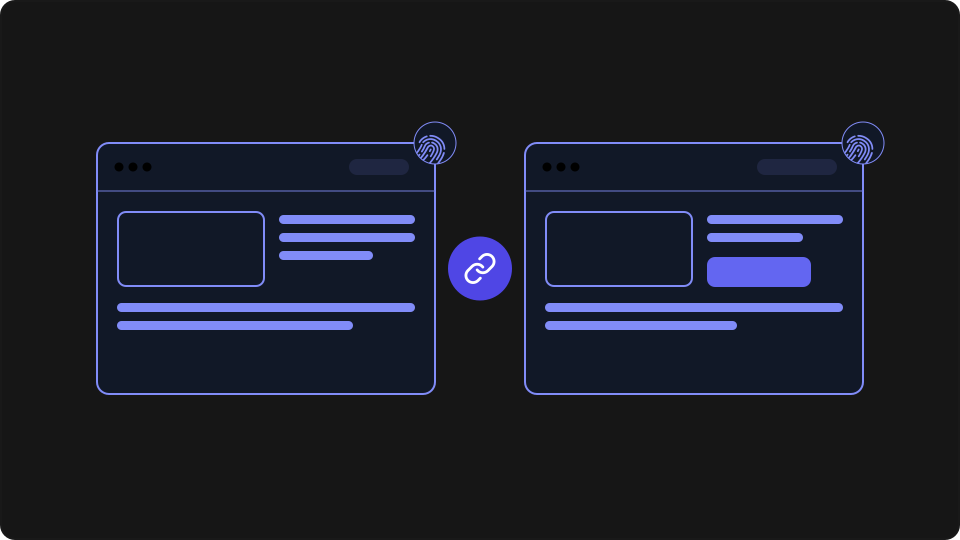
An attribution tracking report can balance perfectly and still be wrong. When one visitor's sessions are counted as three, conversion attribution credits whichever touchpoint happened to be last in the visible chain, often the final domain before checkout, and the channel that actually earned the sale gets nothing. Budget then moves on that number.
The cause usually sits one layer below the attribution model. Whether a report is right depends less on how credit is divided than on whether you can tell that two touchpoints belonged to the same visitor.
What attribution tracking is
Attribution tracking is the practice of assigning credit for a conversion to the touchpoints that came before it. It needs two separate things: a rule for dividing credit between touchpoints, and a way to know which touchpoints belong to the same visitor. The first is the attribution model. The second is the join key.
Almost everything written about attribution covers the first. This article is mostly about the second, because it is where reports quietly go wrong.
Attribution models are the easy part
An attribution model is a rule for splitting credit across a journey that has already been assembled. The six in common use differ only in where they put the weight:
Model | How credit is assigned |
|---|---|
Last click | 100% to the final touchpoint before conversion |
First click | 100% to the first touchpoint |
Linear | Equal share to every touchpoint |
Time decay | More credit the closer a touchpoint is to the conversion |
Position-based | Most credit to first and last, the rest spread across the middle |
Data-driven | Weights learned from the platform's own conversion data |
Last click attribution is still the default
Last click attribution remains the setting most teams never changed. It is simple to explain and simple to audit, and it systematically over-credits whatever sits closest to checkout: branded search, retargeting, or the booking site at the end of an affiliate chain.
The attribution window decides what counts
The attribution window is how far back a model looks for touchpoints. A 7-day window ignores the comparison article someone read three weeks before buying. Lengthening the window only helps if the earlier touchpoint can still be matched to the same visitor, which is the problem the models assume away.
Every model above is a rule applied to a dataset. None of them can fix a dataset in which one visitor appears as three people.
The join key: what matches a visitor across touchpoints
A join key is whatever lets you say "touchpoint 1 and touchpoint 4 were the same visitor." There are four realistic options, and each stops working somewhere different.
First-party tracking with cookies
First-party tracking stores an identifier in a cookie on your own domain. It works well within that domain, for visitors who don't clear cookies, browse privately, or wait too long between visits. Safari's Intelligent Tracking Prevention deletes cookies created in JavaScript, along with all other script-writeable storage, after 7 days without user interaction with the site, which cuts off longer consideration cycles. A first-party cookie also cannot be read by any other domain, which matters as soon as a journey crosses one.
Click IDs in the URL
Ad platforms append a click ID to the landing URL, and affiliate networks do the same with their own parameters. A click ID survives a domain hop, because it travels in the link. It only exists for traffic that arrived through a tagged link, and it is lost when the visitor retypes the address, shares it, or a redirect strips the parameter.
A login or known user ID
A logged-in user ID is the strongest join key there is, and the only one that genuinely works across devices. Its limit is coverage: most of a marketing funnel happens before anyone logs in, and many journeys end in a purchase on a site where the visitor never had an account.
A browser fingerprint
A browser fingerprint is an identifier calculated from the browser's own characteristics, such as how it renders graphics, its fonts, screen and language settings. Because it is derived from the browser rather than stored in it, there is nothing to delete and nothing to pass between domains: the same browser produces the same value on both sides. (Our article on browser fingerprinting covers how that works.) ThumbmarkJS is one implementation, used on 60,000+ websites.
These four are complements. Where a login exists, use it. Click IDs are worth keeping for paid traffic. A fingerprint covers the logged-out, untagged majority of a journey that the other three miss.
Where attribution tracking breaks: the domain boundary
The most common failure is concrete. A visitor reads a hotel comparison on a travel publisher's site, clicks through to a booking platform, and books two days later. The publisher's first-party cookie can't be read on the booking domain, so the booking platform sees a new visitor. If the click ID was stripped along the way, the conversion is credited to direct traffic or to the booking site's own retargeting, and the publisher who sent the customer is paid nothing.
The same thing happens between a brand's content site and its shop, between a marketing domain and an app subdomain on a different root, and in any affiliate or creator setup where the sale happens on someone else's site. Each domain's data looks complete on its own. The journey only breaks when you try to join them.
A browser fingerprint survives this hop because it is computed again on the second domain rather than carried across. Generate it on both sides, send it with your existing event data, and match the two server-side. With ThumbmarkJS, the API also returns the same Visitor ID on the second domain when the browser was already seen under the same account. For the implementation detail, see our guide to sharing a visitor key across two domains.
What a browser fingerprint can and cannot join
A fingerprint fixes a specific gap, and it has limits worth knowing before you rely on it.
It is scoped to one browser on one device. It joins touchpoints within the same browser. A visitor who researches on a phone and buys on a laptop is two browsers, and no fingerprint links them. Cross-device journeys need a login.
A network change can produce a new fingerprint. By default, the ThumbmarkJS fingerprint includes a coarse network identifier. Small IP changes don't affect it, but moving from home Wi-Fi to mobile data, switching on a VPN, or going from office to home produces a new fingerprint on an unchanged browser. Attribution journeys cross networks more than most use cases, so this matters. Two mitigations exist: the stabilize: ['vpn'] option leaves the network out of the fingerprint, and the Visitor ID stays linked through a fingerprint change while the browser's localStorage survives. Safari's 7-day limit on script-writeable storage applies to that localStorage too.
It raises the share of journeys that join. It does not make it 100%. Some browsers are configured to resist fingerprinting, and some visitors will always switch devices. Attribution is read in aggregate, so the useful question is how many more conversions you can connect to the touchpoint that earned them.
Can you do cookieless attribution?
Partly. A browser fingerprint is calculated from the browser rather than stored in it, so it keeps joining touchpoints after cookies are cleared, expire or are blocked. Cookieless attribution still needs consent, though. In the EU, measuring visitors for marketing requires it whether or not a cookie is involved.
What "cookieless" means technically
The ThumbmarkJS open-source library sets no cookies and stores nothing in the browser. The hosted API stores the Visitor ID, and a short-lived copy of its last response, in the browser's localStorage, so the hosted product is cookie-free but not storage-free. If a vendor calls its attribution "cookieless", ask what it stores instead.
What it means legally
Consent rules don't depend on whether you used a cookie. Under Article 5(3) of the ePrivacy Directive, storing or reading information on a visitor's device needs consent unless it is strictly necessary for a service the user asked for. The European Data Protection Board's Guidelines 2/2023 on the technical scope of Article 5(3), adopted in final form in October 2024, confirm that this covers fingerprinting as well as cookies.
Attribution is a marketing-measurement purpose, so it falls on the consent side. Fraud prevention is assessed differently, but that reasoning doesn't carry over to measurement. Getting that consent is the site operator's responsibility, since the site decides why visitors are measured. Fingerprinting is not a way around a consent banner. Within consented traffic, it joins the journeys that cookies drop.
When the attribution record is attacked, not just broken
The join key that fails by accident is also what fraud goes after on purpose. A stuffed cookie claims a sale the partner never influenced. Automated traffic manufactures clicks and touchpoints. A form-fill farm submits leads no real buyer ever saw.
Each of these corrupts the same record this article is about, and the defence starts from the same place. With one stable identifier per browser, you can ask whether a partner's conversions come from a small number of browsers, or whether one browser produced fifty leads in an hour. We cover these attacks in depth in affiliate fraud, cookie stuffing and fabricated leads, and the mechanics of spotting automated traffic separately.
Measuring whether your attribution tracking is working
Attribution metrics usually describe the output of the model: return on ad spend by channel, cost per acquisition, assisted conversions. A few attribution measurements describe the input instead, and tell you whether your problem is the model or the join:
Unjoined conversions. The share of conversions with no matched touchpoint before them. This is the number almost nobody reports, and the clearest sign of a broken join.
Sessions per identified visitor. When a join key starts working, this rises, because sessions that looked like separate people are merged.
Direct traffic share. A large and growing "direct" bucket usually means journeys are failing to join. Few people type a URL from memory as often as these reports suggest.
Partner-reported vs self-reported conversions. A persistent gap between what affiliates claim and what you can attribute points at the domain boundary.
If these look healthy, model choice is worth arguing about. If they don't, changing the model only redistributes credit inside data that is already wrong.
Fix the join before the model
Switching attribution models changes how credit is divided. Fixing the join key changes whether the underlying data is true, which is why it comes first. For most teams the largest gap is the domain boundary, and it is the cheapest one to close.
In practice, whoever owns your analytics tag adds the fingerprint on each domain and forwards it with the event data you already send. Usually that is a growth or analytics engineer, and it takes an afternoon. The first signal to watch is the unjoined-conversion share falling. Settle the consent position in the same conversation as the tag.
See how this works for cross-domain visitor tracking, or start on the free API tier.
Frequently asked questions
What's the difference between attribution tracking and attribution modelling?
Attribution tracking is the whole process of connecting touchpoints to conversions and assigning credit. Attribution modelling is one part of it: the rule that divides the credit. Tracking also includes the join key that decides which touchpoints belong together.
Why does my attribution report show so much direct traffic?
Usually because the journey failed to join. When a visitor crosses domains, loses a cookie or arrives through a link with its click ID stripped, the conversion has no matched source and falls into direct.
Does cookieless attribution remove the need for a consent banner?
No. In the EU, consent rules cover any reading or storing of information on a visitor's device, including fingerprinting. Measuring visitors for marketing needs their consent whether or not a cookie is involved.
Does attribution tracking work when someone switches from phone to laptop?
Not without a login. Cookies and browser fingerprints both identify a browser on a device, so a journey that moves to another device appears as two visitors. Only an authenticated user ID joins it.